Stay in the
conversation.
Add your own context. Choose your AI. Get concise answers in a small, translucent window while you talk.
1.33.3 preview · M-series Macs · macOS 14.2+ · 16 GB memory recommended
Intel Macs and Windows are not supported yet. ZIP alternative.
From download to your first answer.
- Drag Cue into Applications.Open the downloaded disk image, then drag Cue.app onto Applications. Open Cue from Applications.
- Add a little context.Import a CV or paste a few notes. Review the text and save it. You can also skip this and explore.
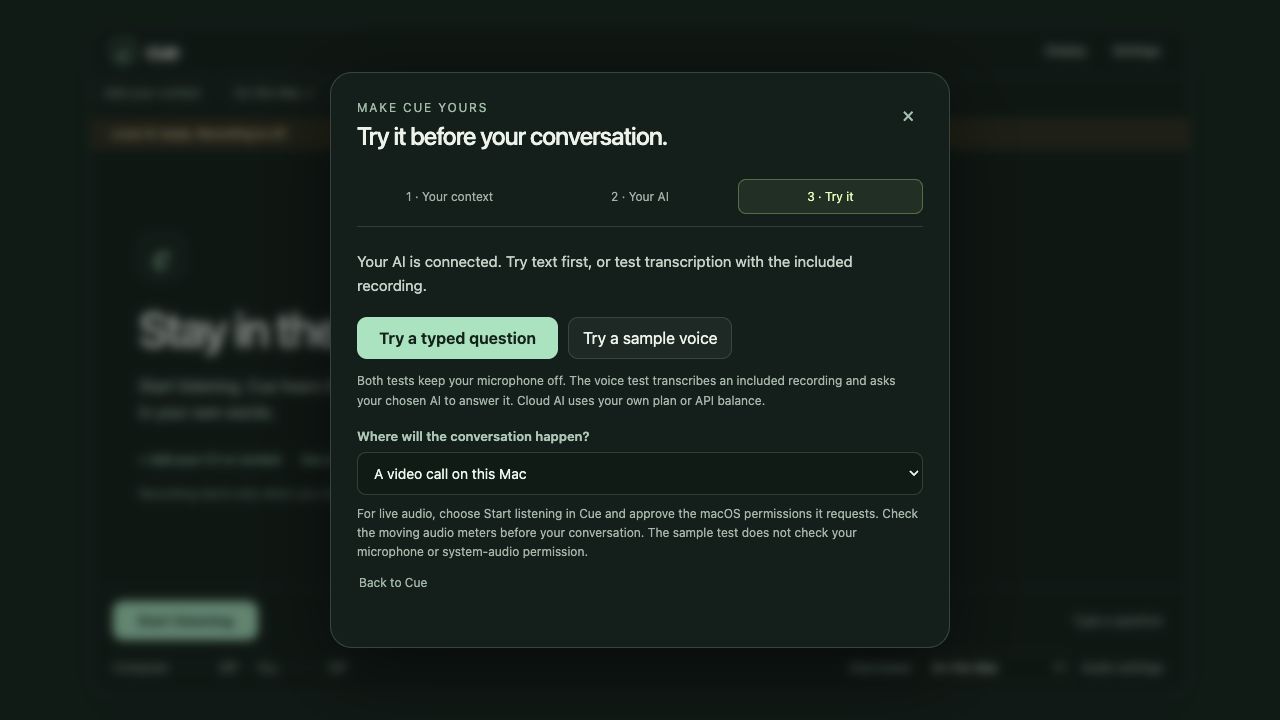
- Choose your AI and try it.Connect your own account or download local AI inside Cue. Try a typed question or the included sample voice before starting a real conversation.
You do not need Terminal, Python or a separate local-AI app. Follow the first-use guide.
Use the AI that suits you.
ChatGPT: sign in with your own eligible plan. OpenAI or Claude API: connect your own key and choose a text model; API charges apply. On this Mac: download Qwen3 and Whisper with one button, without a separate app or Terminal setup.
Local AI: downloads, devices and limitations
| Model | Download | Suggested memory |
|---|---|---|
| Smallest · Qwen3 1.7B | ~1.1 GB | 8 GB |
| Balanced · Qwen3 4B | ~2.5 GB | 16 GB |
| Stronger · Qwen3 8B | ~5 GB | 24 GB+ |
English Whisper listening adds about 150 MB. Internet is needed for initial setup. Local inference runs on your device with no per-answer API bill, but uses memory, storage and battery. These are recommendations, not guarantees.
Local models are less capable than leading cloud models and can make mistakes. Difficult questions can be slower; there is no sub-second guarantee. Cue tests a real answer before reporting setup ready. Failed setup offers a smaller-model retry. Coaching and practice feedback currently require the advanced Codex connection.
Know when Cue is listening.
Choose whether the conversation is on this Mac, on a phone nearby, or in the room. Press Start listening and approve the macOS permissions requested. Check the audio meters before your conversation. The included sample voice checks transcription and answers; it does not test your physical microphone or recording permission.
Your notes are saved on your Mac. Cloud AI receives the selected question and relevant context. Local mode processes inference on your device. This download contains no previous user’s context or account.
Starting stays on screen, or an audio meter is silent?
Check for a macOS recording or microphone prompt. For Mac playback, enable Cue in System Settings → Privacy & Security → Screen & System Audio Recording. Nearby speech also needs Microphone access. Choose Quit & Reopen after approval, open Cue from Applications, and start again.
Choose On this Mac for a Mac call plus your microphone, Mac + phone / room for both sources, or Phone or in-person for a nearby phone. Play a spoken clip and speak into your microphone; check the corresponding meters move. If they do not, check the microphone selected in Audio settings. Choose Stop when finished.
Updates may need renewed macOS approval. If enabled old entries do not authorize the updated app, follow the first-use troubleshooting guide. The sample voice test keeps your microphone off and does not replace this live check.
Screen sharing and presentation privacy
Share View creates a presentation window whose source stream excludes Cue. Select that specific window in your meeting’s sharing picker, and verify a receiving participant’s view. Sharing the whole display can expose Cue. Capture behavior depends on the OS, meeting app and sharing mode; universal invisibility is not promised.
Updating is familiar.
Quit Cue, download the new version and replace Cue in Applications. Your saved context, accounts and downloaded models remain in your local app data.
Download Cue for Mac ↗Use assistance where the participants or rules permit it. This is the desktop installer page; enter your context inside the installed app.
We count page download requests and approximate city/country. No raw IP addresses or precise coordinates are stored. Requests do not confirm completed downloads or installations.